
Best Interior Quotation Tool for Designers & Contractors
Create itemized interior quotations with clear work descriptions, quantities, rates and taxes. Export a professional PDF, track client decisions, and connect accepted quotations to projects and invoices in Intorza.
- No credit card
- 2-min setup
- Instant access
Unlock Professional Quotations Today
Create unlimited interior quotations, export professional PDFs, and keep clients, invoices and project details together.
Cancel anytime · No hidden fees · Instant access
Prepare an interior quotation your client can actually review
An interior quotation explains the proposed price for a defined scope of work. For a modular kitchen, wardrobe, apartment or turnkey project, a useful proposal shows the items, specifications, quantities and rates behind the total. It also gives the client a clear record of the assumptions and payment terms.
Intorza brings those details into a connected quotation workflow. To start from a plan or project brief, explore the AI interior quotation builder. If you are still planning a budget, start with the interior cost calculator. If you want to review the structure before creating your own proposal, use the interior quotation format and sample.
Define the scope
Separate the kitchen, bedrooms, living areas and other work into clear sections. State what is included and what is excluded.
Describe the materials
Record the board type, finish, hardware and installation assumptions. A price is easier to review when the specification is clear.
Show quantities and rates
Use the unit appropriate to each item, such as square feet, running feet or a fixed amount. Review quantities against the site measurements.
Set out the terms
Include applicable taxes, payment milestones and quotation validity. Review the scope and terms with the client before work begins.
Quotation software for the way interior projects work
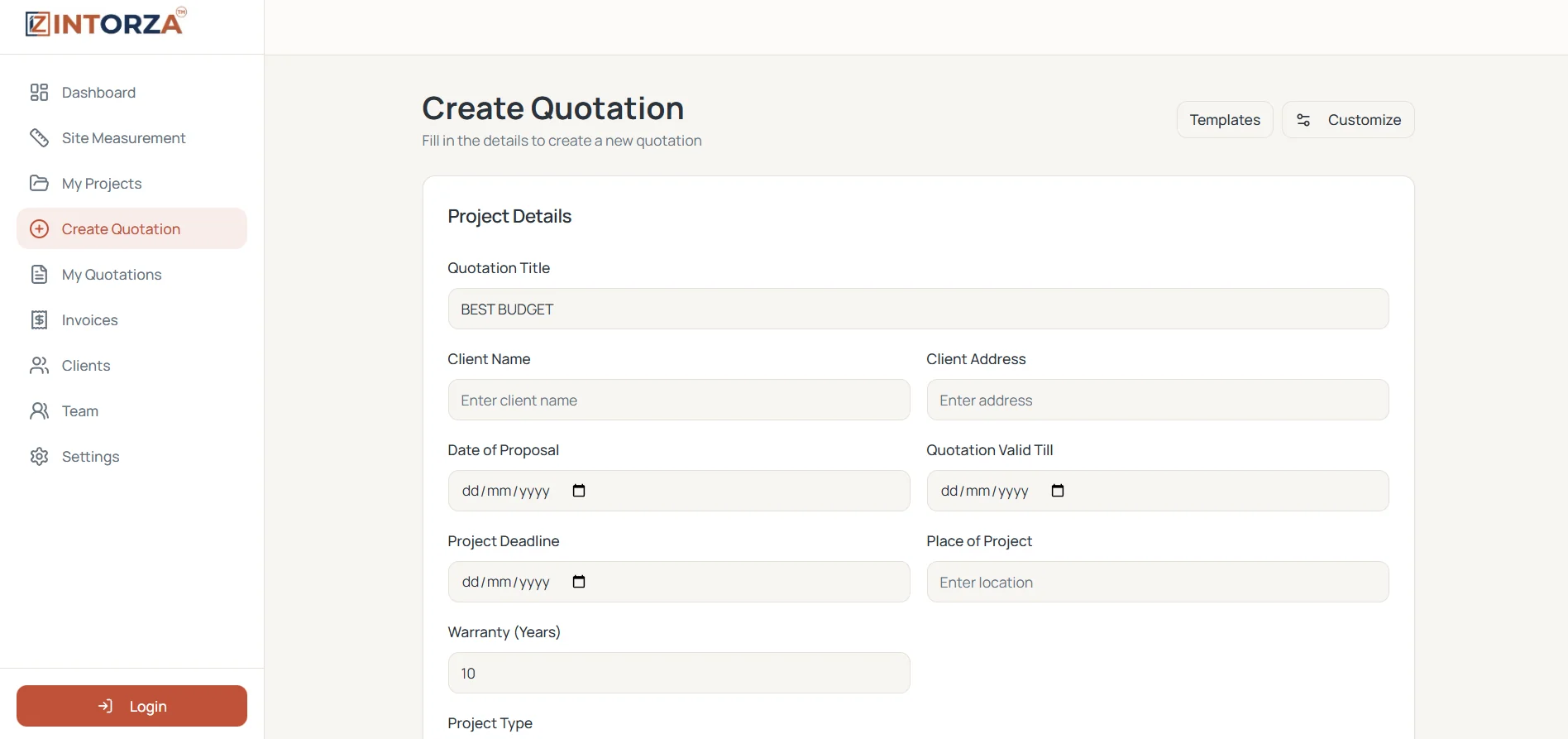
Turn a project scope into an itemized interior quotation
Put client details, work descriptions, quantities and rates into a structured proposal. Make it clear what you are quoting for each room, rather than sending a single unexplained project total.
- Detailed work descriptions
- Quantities and unit rates
- Calculated totals and taxes
- Professional PDF export
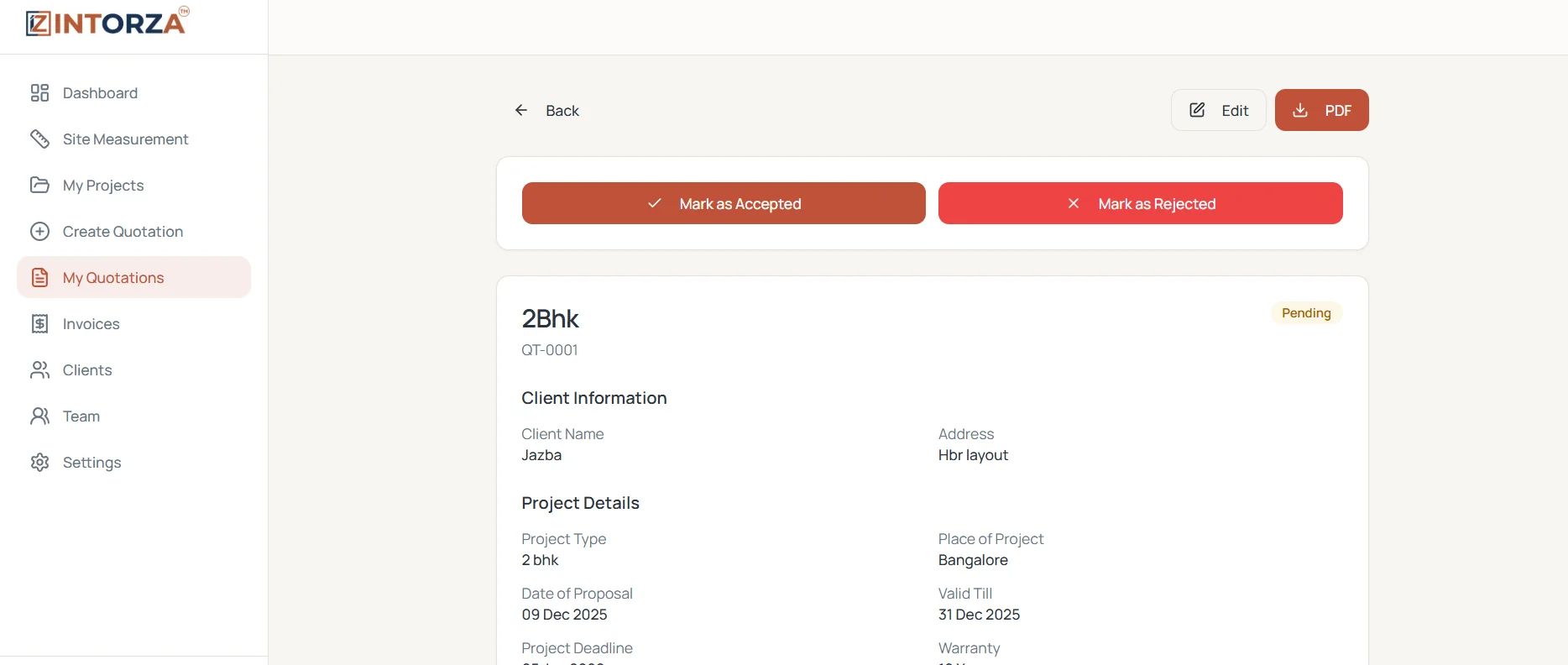
Keep quotation revisions and decisions organized
Find your proposals in one place, edit the details as the scope changes, and track whether a quotation is pending, accepted or rejected. Review the agreed version before moving the project forward.
- Central quotation list
- Editable project details
- Pending and accepted status
- Downloadable client documents
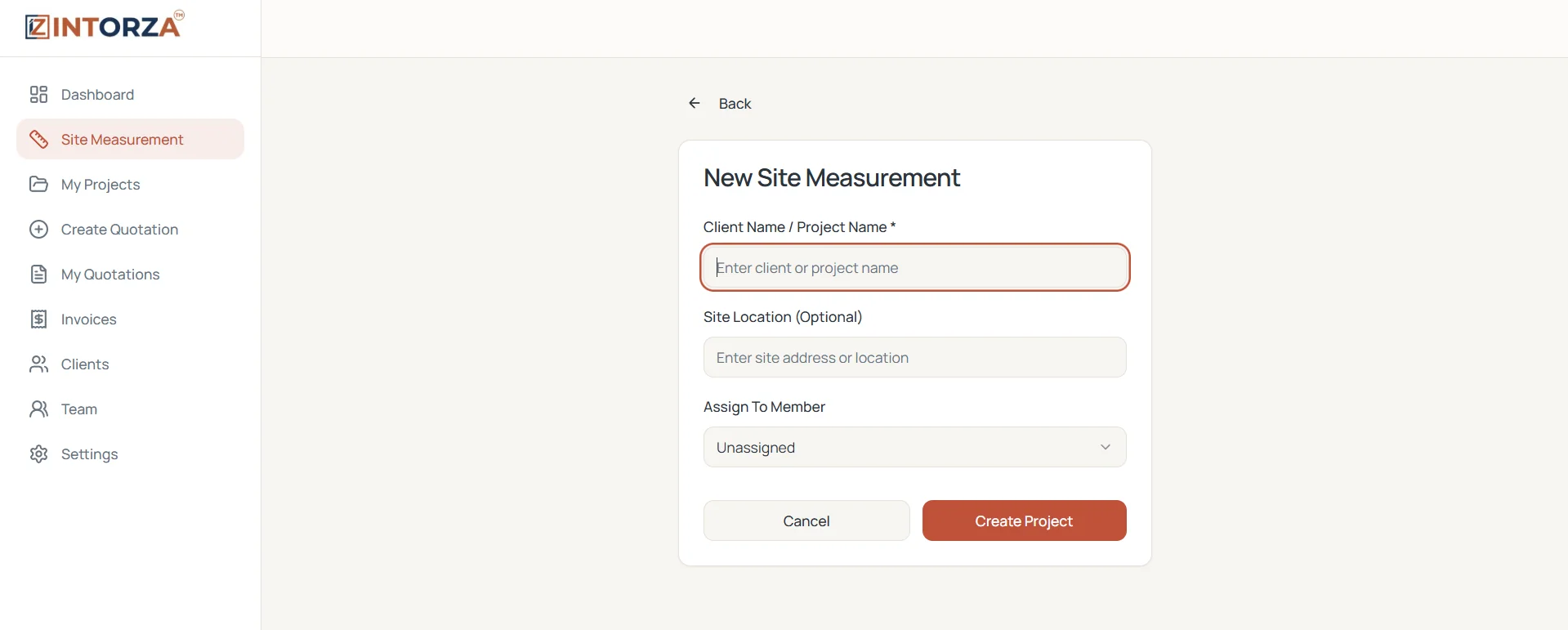
Start the quotation with a clearer view of the site
Keep measurements and project information organized before pricing the work. A room-by-room scope helps you separate carpentry, ceilings, finishes and installation assumptions.
- Organized measurement projects
- Site and location details
- Team assignments
- Track measurement progress
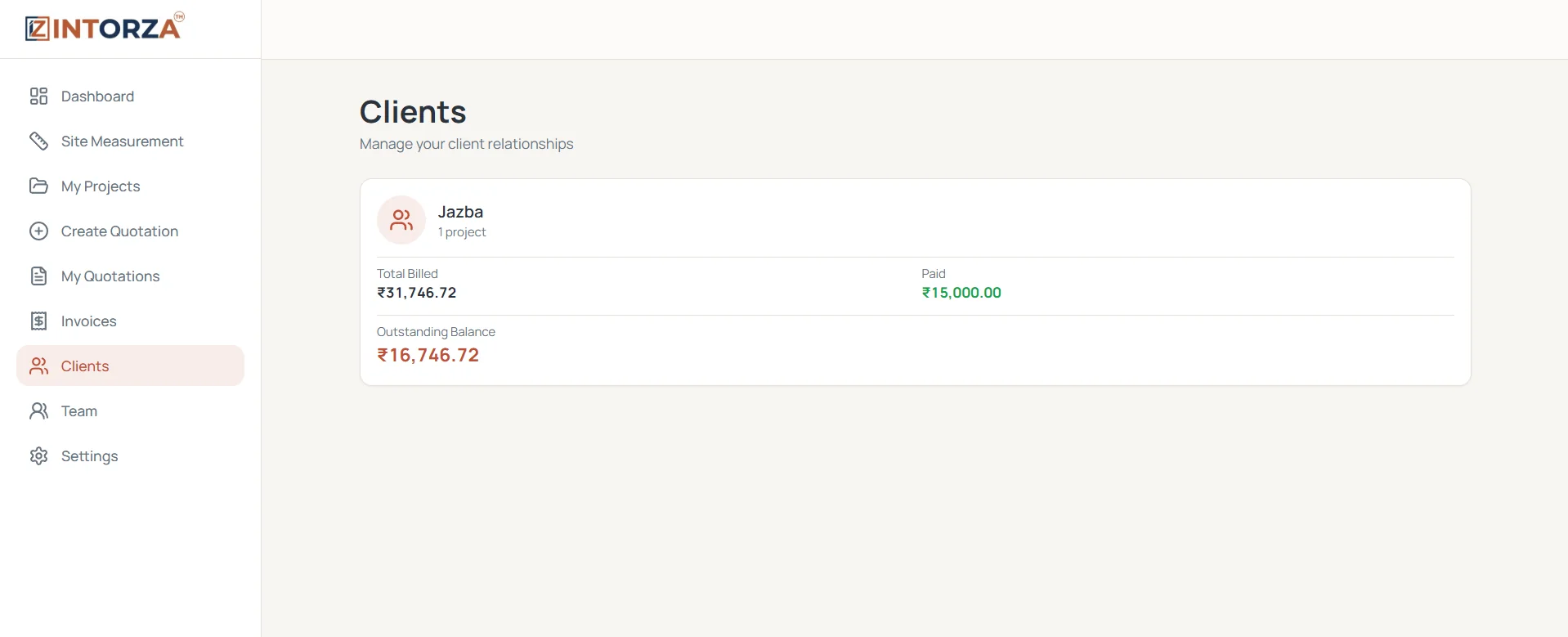
Connect each proposal to the right client
Keep customer details, project history and billing context together. When a client asks about an earlier quotation, start with their existing record instead of searching through disconnected files.
- Saved client information
- Project history
- Billing context
- Outstanding amount tracking
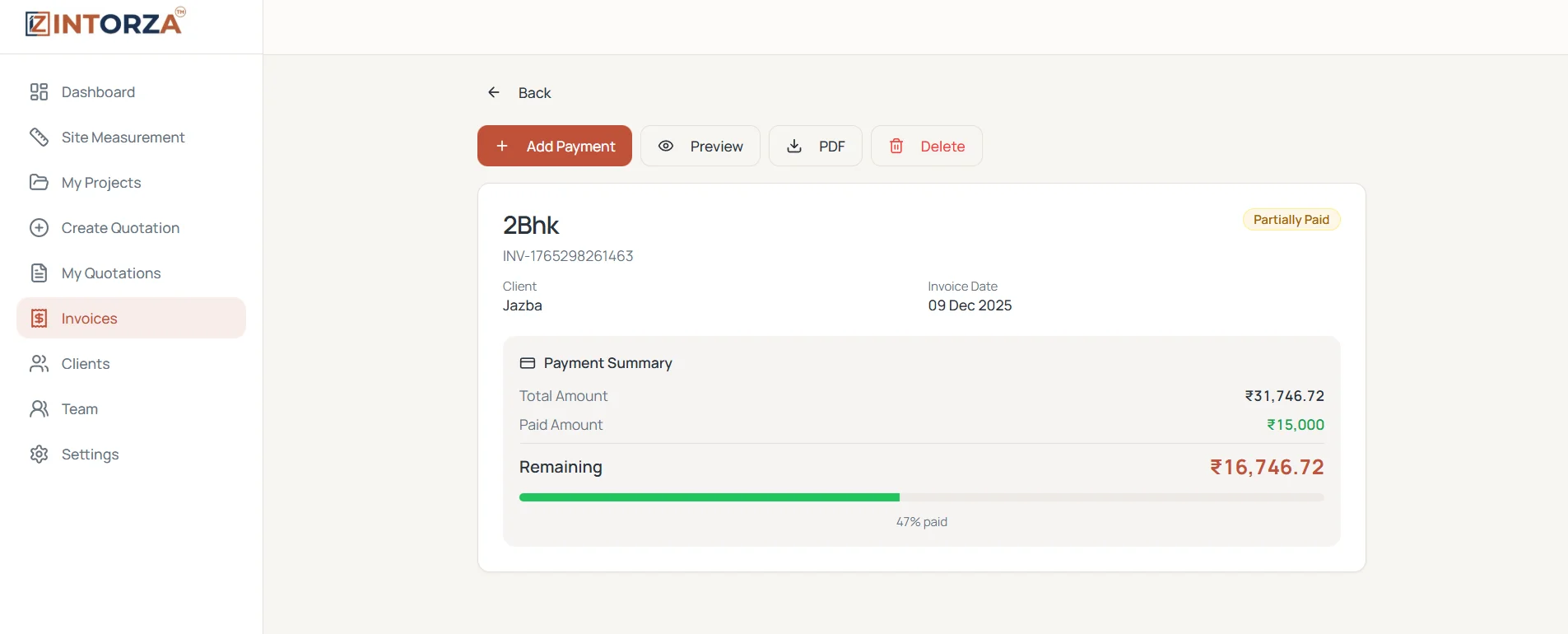
Move from an accepted quotation to invoicing
Keep the next stage of the project connected to the proposal the client accepted. Generate invoices and track payments without losing sight of the original quotation.
- Accepted quotation workflow
- Invoice generation
- Partial payment tracking
- Outstanding balance visibility
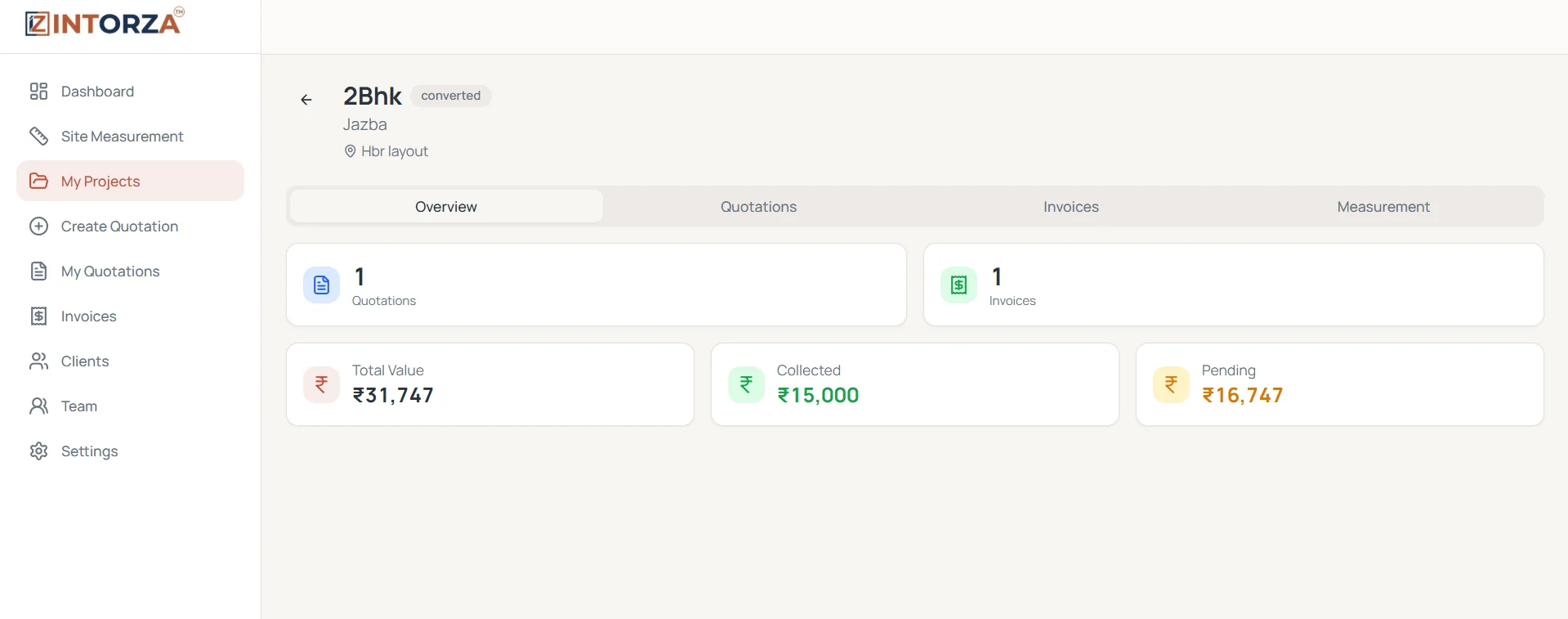
See the financial context behind each interior project
Once the quotation becomes a project, review its associated quotations, invoices and payments together. Keep quoted value and pending amounts visible while work progresses.
- Associated quotation records
- Project financial summary
- Payment visibility
- Pending amount overview
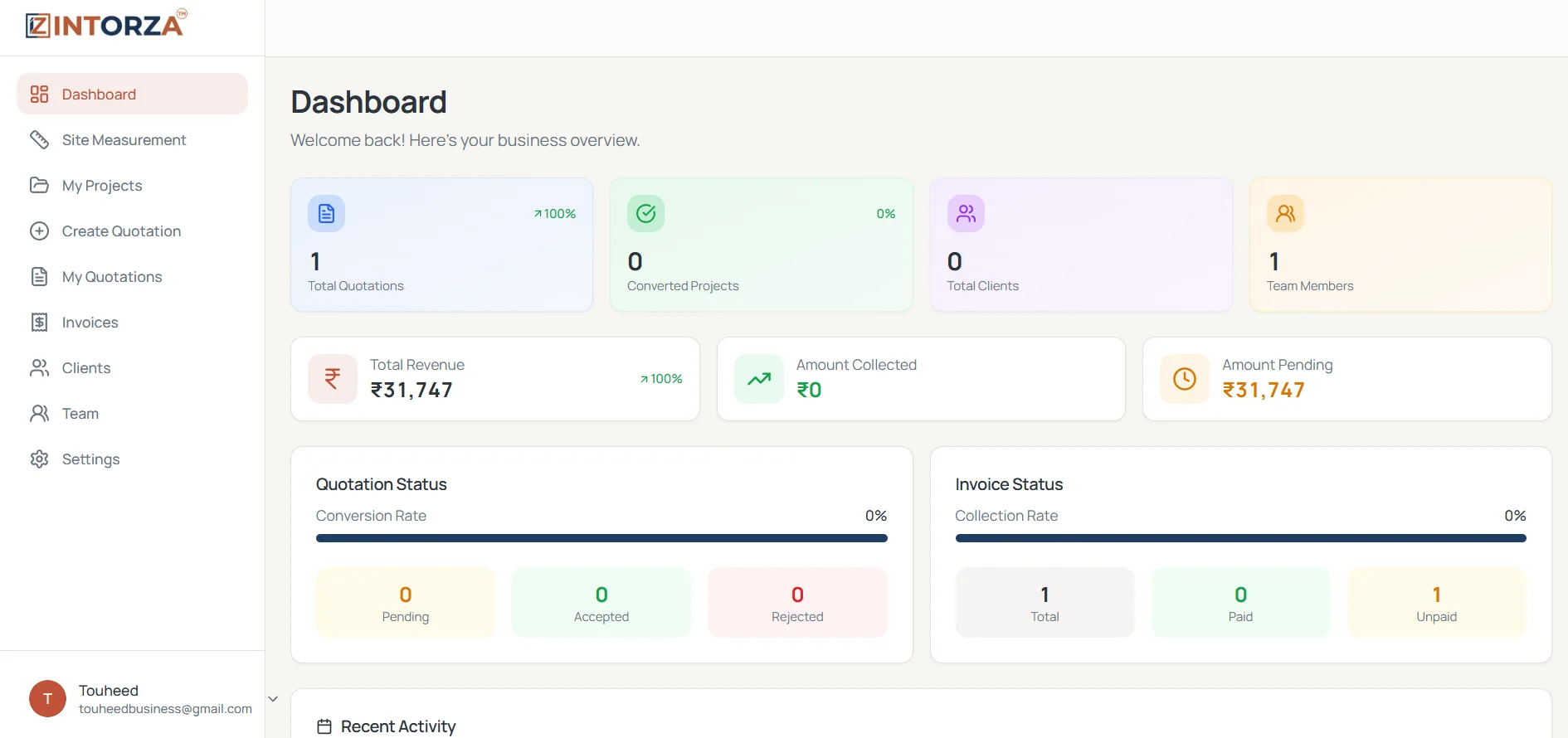
Review quotations alongside your wider business
Use the dashboard to review quotation activity with your projects and billing. Keep your proposal workflow connected to the rest of your interior design business.
- Quotation and invoice status
- Project overview
- Revenue and payment context
- Team activity overview
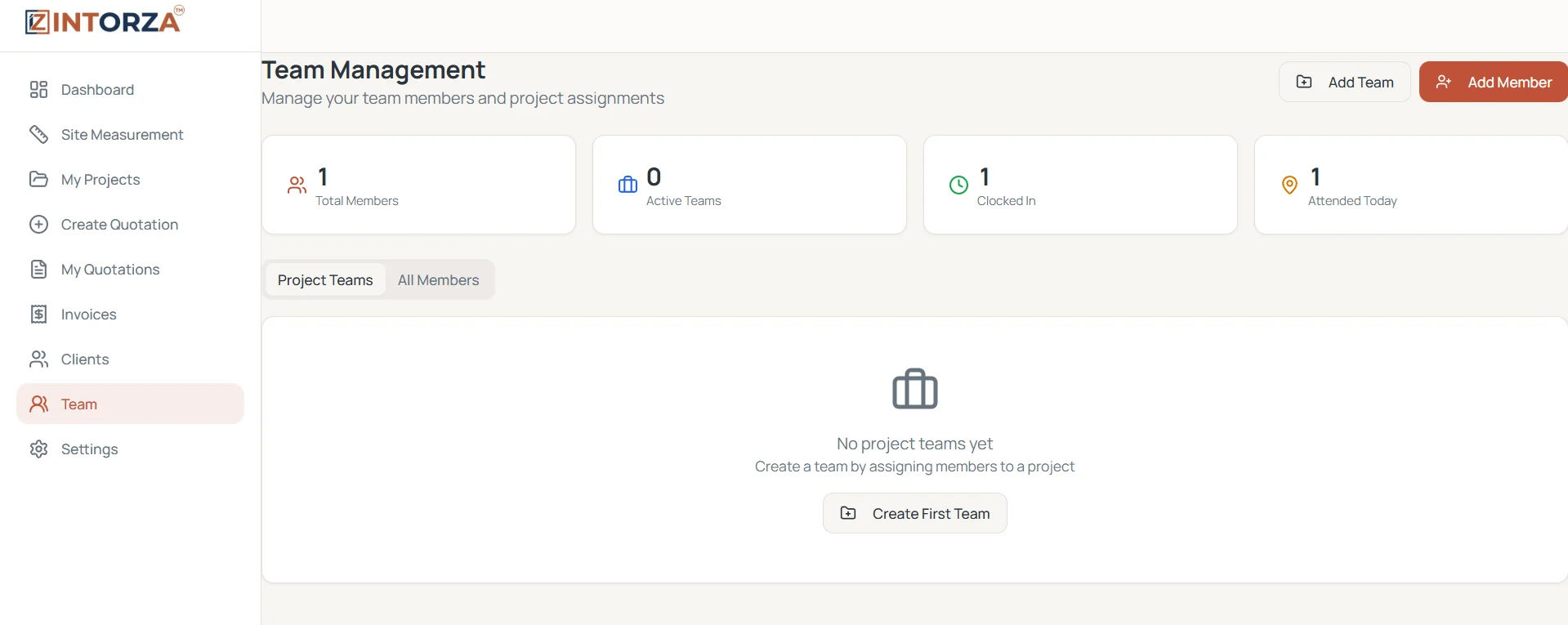
Coordinate the people behind a client-ready proposal
Organize team members, roles and project assignments in the same workspace. Keep site work and project responsibilities connected as a quotation moves toward execution.
- Team member records
- Project assignments
- Roles and permissions
- Attendance tracking
The essentials behind a client-ready quotation
Prepare the proposal, keep the client context, and connect the accepted scope to your project and billing workflow.
Quotation Overview
Review proposals alongside projects, invoices and payment activity.
Measured Project Scope
Organize site details before preparing quantities and project rates.
Itemized Quotations
Prepare clear work descriptions, quantities, rates and totals.
Connected Invoicing
Carry accepted quotation details into the billing workflow.
Client Context
Keep proposals connected to client details and project history.
Team Coordination
Manage the people and responsibilities behind each project.
Business Visibility
Review quotation status with revenue and project reporting.
Account Access
Use account roles and permissions to organize your team's access.
Create an interior quotation in 4 clear steps
Move from the agreed scope to a proposal your client can review, without separating the quotation from the rest of your project records.
Set up the project
Sign in and add the client and project details for the quotation.
Build the itemized scope
Add work descriptions, quantities, units and rates. Review totals and applicable taxes.
Review and share the PDF
Check the specifications and terms, then export the proposal for the client to review.
Track the next step
Record the client's decision and connect accepted quotations to the project and invoice workflow.
Use the right document at each stage of the project
A budget estimate, a quotation and an invoice answer different questions. Keeping their purposes clear helps both your team and the client understand what has been proposed, agreed and billed.
| Document | When to use it | What it explains |
|---|---|---|
| Cost estimate | Early budget planning | An approximate cost based on the available scope and assumptions. |
| Interior quotation | After measurements and specifications are clear | The proposed price, itemized scope, exclusions and payment terms. |
| Invoice | When billing for the agreed work | The amount billed, applicable taxes and payment details. |
Before sharing a quotation, confirm the material specifications, site quantities, scope exclusions and applicable tax treatment. The tool helps you organize the document; your team remains responsible for the pricing and terms.
Interior quotation tool FAQs
What is an interior quotation tool?
An interior quotation tool helps designers and contractors prepare an itemized price proposal for a project. It brings client details, room-wise work items, material specifications, quantities, rates and totals into one document that can be shared for review.
What should I include in an interior design quotation?
Include the client and site details, quotation date, scope of work, room-wise items, material specifications, units, quantities, rates, applicable taxes, exclusions, payment milestones and validity. Clear specifications help the client understand what each price includes.
Can I download my interior quotation as a PDF?
Yes. Intorza lets you prepare a quotation and export a professional PDF for your client. Review the scope, quantities, rates and terms before sharing the final document.
How is an interior quotation different from a cost estimate?
A cost estimate is an early budget based on assumptions. A quotation sets out the proposed price for a defined scope. Use a cost calculator while planning, then prepare a detailed quotation once measurements, materials and deliverables are clear.
Can I prepare quotations for modular kitchens and wardrobes?
Yes. Organize the kitchen, wardrobes and other rooms into separate work items, with the relevant specifications, units, quantities and rates. Include hardware, finishes and installation assumptions so the client can compare the scope clearly.
How much does Intorza Pro cost?
The Pro plan displayed on this page costs INR 499 per month. It includes unlimited quotations, advanced invoicing and team collaboration. Review the current plan details in the app before subscribing.
Can I generate an invoice after a quotation is accepted?
Yes. Intorza connects accepted quotations with invoicing so you can keep the agreed project scope, billed amount and payment tracking in the same workflow.
Plan the budget, review the format, then build the quotation
Estimate the interior budget
Explore an indicative budget before deciding the detailed project scope.
Learn moreReview a quotation sample
See an itemized example, document sections and terms to consider.
Learn moreTalk to the Intorza team
Ask about the quotation workflow, plan options or getting started.
Learn moreBuild Your Next
Interior Quotation in Intorza
Bring your work items, pricing and client details together, then move from the proposal to the project with a clearer record of the agreed scope.